PhotoCraft, in context.
PhotoCraft Hub is an independent guide to PhotoCraft, the open-source image editor. Find an official download, compare it with Photoshop and other tools, and see what this early alpha can—and cannot—do before you start.
- Current release checked
- v0.6.0 · 10 Oct 2026
- Project status
- Early alpha; expect rough edges
- Download source
- Official GitHub release
A promising editor, with its limits in view.
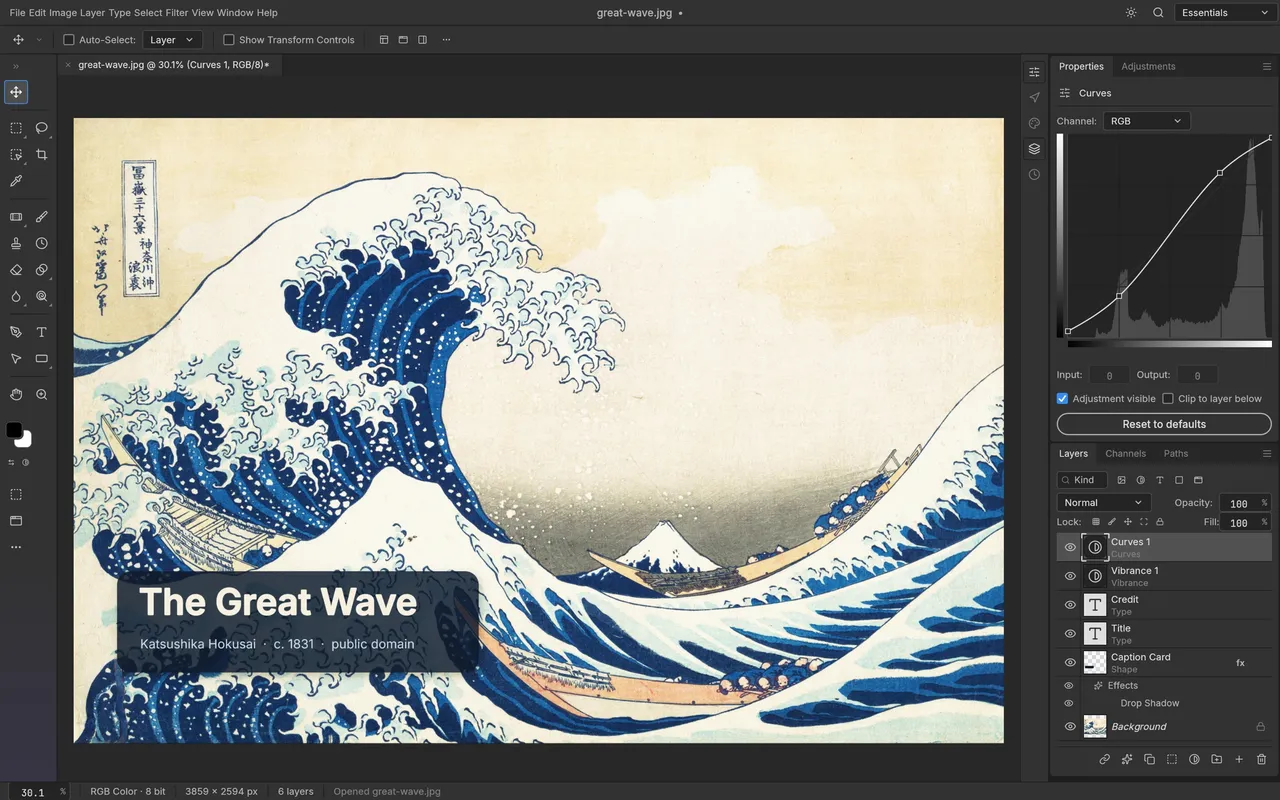
PhotoCraft is an open-source, Rust-based image editor with layers, masks, type, adjustments, and PSD support. The project is moving quickly, but its maintainers still describe it as early alpha and say it is not yet a replacement for daily professional work. These guides link to upstream documentation so you can check the detail that matters for your setup.
Source check: 10 October 2026. The latest release observed was v0.6.0. Confirm the live version, release notes, and system requirements on theofficial release page before installing.
Find the guide for your next step.
Each page answers a different PhotoCraft or image-editor question. Start with the task in front of you; the guides connect to related explanations and primary sources as you go.
Understand and get started
Find out what the editor is, where it stands, and what to do first.
- What is PhotoCraft?A plain-language explanation of the open-source image editor.
- PhotoCraft reviewAn evidence-based look at strengths, limits, and who should wait.
- PhotoCraft download guideChoose an official build and verify you have the right package.
- PhotoCraft vs PhotoshopCompare workflow coverage, compatibility, and product maturity.
- Best PhotoCraft alternativesFind a better fit for painting, photo development, or production work.
- How to use PhotoCraftA practical route from opening a file to exporting a copy.
- PhotoCraft tutorialBuild a simple layered social banner with the current editing workflow.
- PhotoCraft appUnderstand desktop, browser, and mobile availability.
Install and follow the project
Use the right platform package and follow conversations at their source.
- PhotoCraft on RedditFind real discussions without assuming an official subreddit exists.
- PhotoCraft GitHubGo to the repository, releases, issue tracker, and roadmap.
- PhotoCraft for LinuxCompare AppImage, Flatpak, DEB, RPM, and tarball options.
- PhotoCraft for MacCheck universal macOS builds for Apple silicon and Intel.
- PhotoCraft for WindowsChoose x64, ARM64, or 32-bit Windows downloads.
- PhotoCraft AI featuresSeparate on-device smart selection from generative AI claims.
- PhotoCraft FAQAnswers on price, platforms, PSD, privacy, and alpha status.
Choose an image editor
Compare tools by the job you need to finish, not by a universal ranking.
Independent by design. Specific about sources.
PhotoCraft Hub is not the PhotoCraft project website. We use the public project documentation and release files to explain the software, and we identify where information comes from. We do not present simulated benchmarks or pretend to have run tests we have not performed.