PhotoCraft vs Photoshop: Features, Compatibility, and Maturity
Compare PhotoCraft and Photoshop by workflow, platform, file compatibility, AI tools, ecosystem, and product maturity—not unverified speed claims.
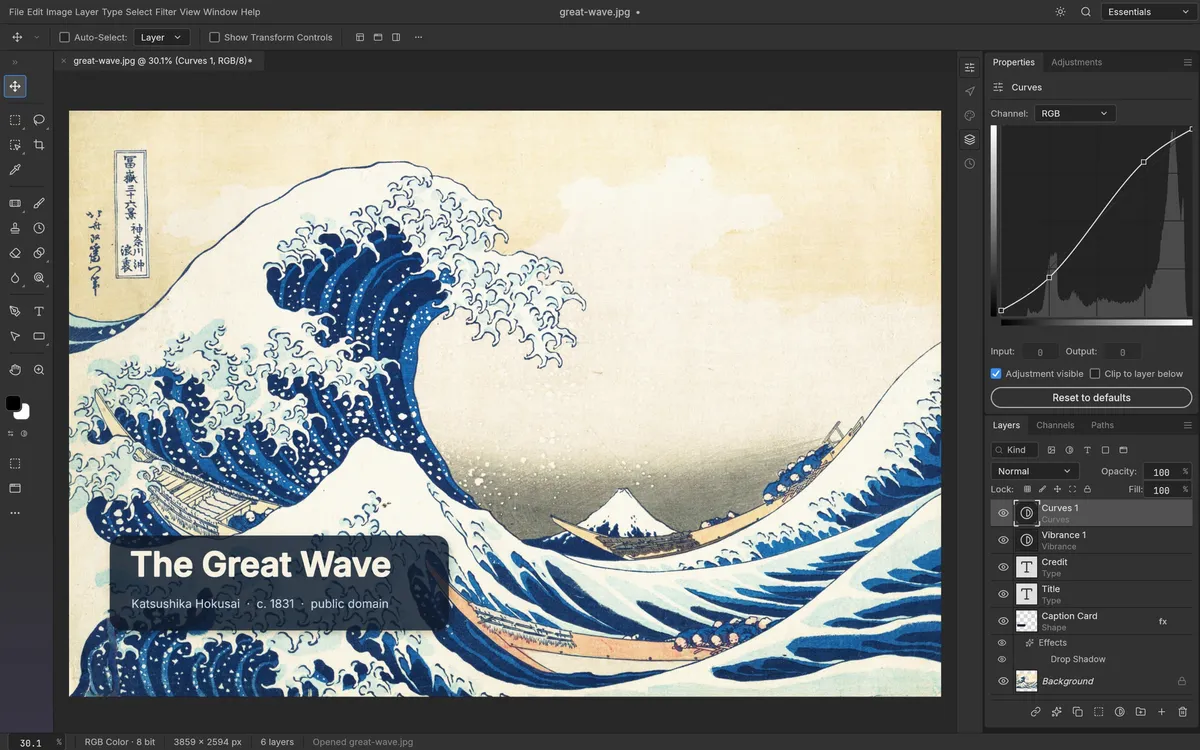
PhotoCraft and Adobe Photoshop share a layer-based image-editing vocabulary, but they are at very different points in their development. PhotoCraft is an open-source early-alpha project. Photoshop is a long-established commercial product with a broader ecosystem and mature professional workflows. If you are deciding whether PhotoCraft can replace Photoshop, compare the actual task you need to finish—not the similarity of their toolbars.
Side-by-side comparison
Swipe horizontally to compare each workflow across both editors.
| Question | PhotoCraft | Photoshop |
|---|---|---|
| Cost model | Free release; MIT or Apache-2.0 source license | Commercial subscription; check Adobe’s current plan and regional pricing |
| Project status | Early alpha; maintainers say it is not yet a daily professional replacement | Mature product with extensive documentation and support paths |
| Core workflow | Native editor with layers, masks, adjustments, type, shapes, filters, and PSD support | Broad raster, compositing, retouching, and production toolset |
| Plug-ins and integrations | Plug-in compatibility is a documented gap | Large established plug-in and Creative Cloud ecosystem |
| AI features | On-device selection tools; generative features are listed as a gap | Generative AI features are available in some plans and versions; check current Adobe documentation |
| Platforms | Official v0.6.0 packages for macOS, Windows, Linux, and FreeBSD, plus a self-hosted web build | Desktop and web availability depends on Adobe product and plan |
PhotoCraft’s own v0.6.0 README documents both its feature set and limitations. Adobe changes features and plans, so use the official Photoshop plans page for current prices rather than relying on a fixed dollar figure copied into a comparison.
When PhotoCraft may be enough
Try PhotoCraft if you want to explore an open-source editor, work with layers and adjustments, or evaluate a new project on non-critical files. It can be an interesting option when you want source availability and a desktop workflow without a subscription. That is a reason to test it; it is not proof that every document or feature will round-trip as expected.
When Photoshop remains the safer fit
Stay with Photoshop when your work depends on a particular plug-in, an established production handoff, frequent client PSD exchange, specialized type behavior, or a feature PhotoCraft does not yet match. Validate fonts, masks, effects, color settings, and exports with copies of representative files before switching. No independent speed benchmark is presented here; the Rust implementation alone is not enough to predict real-world performance.
If PhotoCraft’s current gaps are decisive, see the alternative editors guide or the broader free Photoshop alternatives. For installation, use the official download guide.