PhotoCraft Review: What the Early Alpha Can and Cannot Replace
An evidence-based PhotoCraft review using the v0.6.0 source release: current features, platform availability, PSD workflow, and important alpha limits.
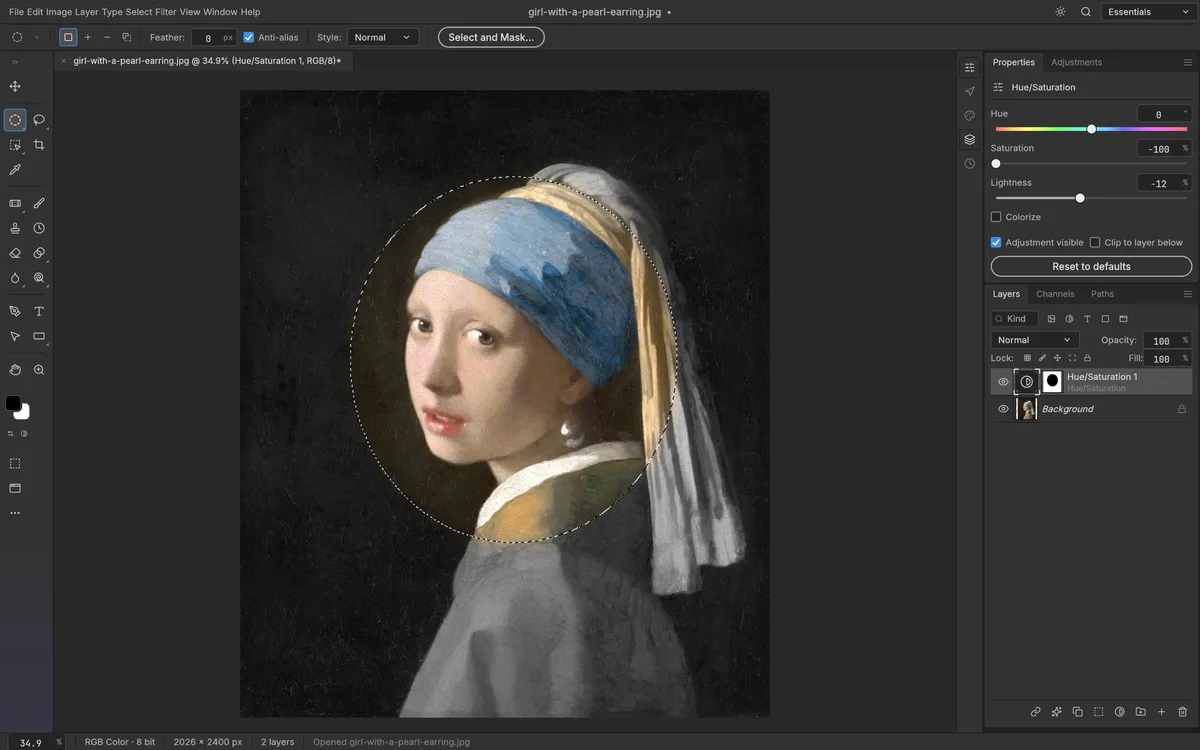
PhotoCraft has the outline of a serious raster editor: layers, masks, adjustments, type, shapes, filters, and PSD support, built as a native Rust application. The key question is not whether its feature list resembles Photoshop; it is whether this early release is dependable for the work you need to finish. This review is based on the project’s public documentation and the v0.6.0 release, not on a week of personal performance tests. We have not independently measured launch time, memory use, or comparative image quality.
What looks promising
The editing model is familiar to people who use layered image editors. The current README documents adjustment layers, masks, layer styles, editable type and shape layers, selections, filters, transforms, export controls, and PSD round-tripping. The release notes for v0.6.0 show a project with active fixes across text, masks, selection, gradients, export, and stability edge cases. Those are concrete signs of ongoing development, though release activity by itself is not a quality guarantee.
The distribution story has also moved quickly. Official builds now include macOS, Windows, Linux, FreeBSD, a CLI, and a static web bundle. See the download guide for what each package is and the GitHub guide for the repository, issue tracker, and roadmap.
The limits matter more than the language
Rust is an implementation choice; it does not prove an editor is faster, safer, or more stable in a particular workflow. PhotoCraft’s own README explicitly calls it early alpha and says it is not yet a Photoshop replacement for daily professional work. The maintainers point to gaps in generative AI, about twenty missing tools, depth in typography and professional workflows, and plug-in compatibility. File compatibility also deserves a trial run: open a copy of a representative PSD and inspect layer effects, fonts, masks, and export before depending on it.
There is no evidence in the project release that supports the benchmark claims often attached to this product. We therefore do not publish a launch-time or RAM comparison. The useful evaluation is a small, reversible pilot using your own files and the features you actually need.
Who should try PhotoCraft?
Curious image editors, developers, and open-source users can explore it without treating it as a production commitment. A personal experiment on duplicate files is a reasonable first step. Teams with deadlines, plug-in-dependent pipelines, specialized print requirements, or a need for generated content should keep a mature editor in the workflow until they verify the exact tasks themselves.
Verdict: PhotoCraft is an ambitious project worth following, not a universal Photoshop replacement today. Start with what PhotoCraft is, compare it with Photoshop, and check the live v0.6.0 release before deciding.