What Is PhotoCraft? The Open-Source Rust Image Editor Explained
PhotoCraft is an open-source image editor built in Rust. Learn what it does, which platforms have releases, and what its early-alpha status means.
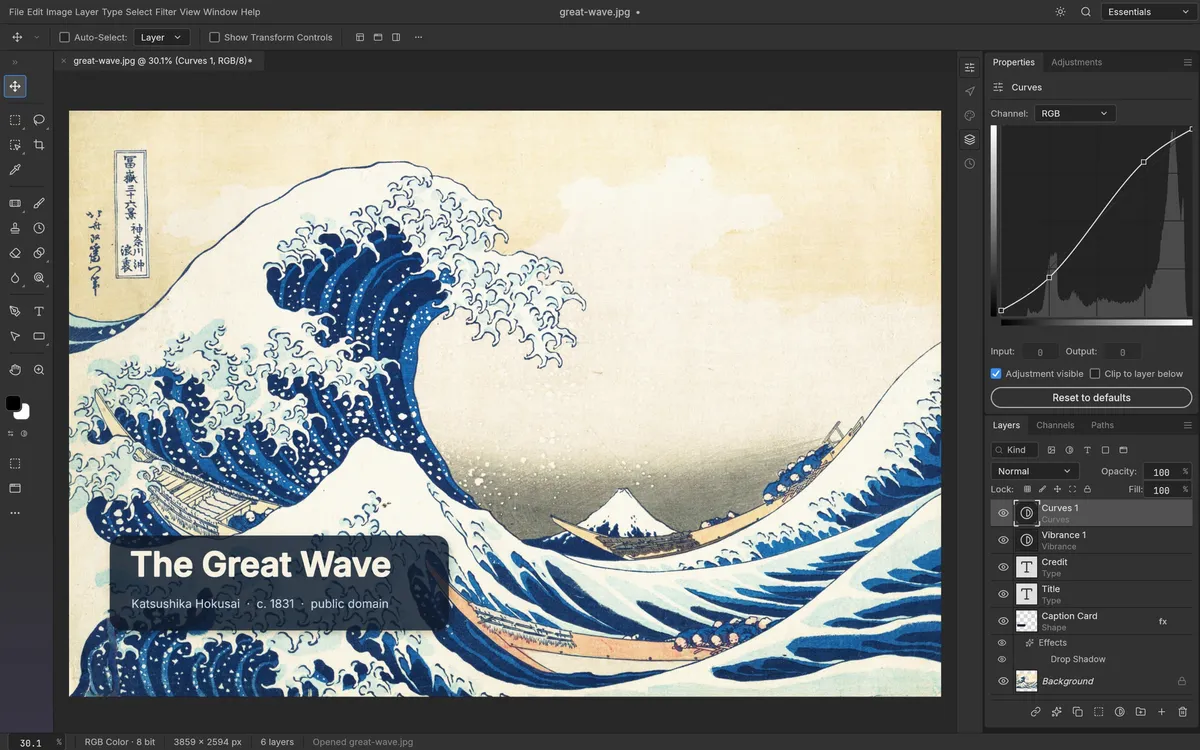
PhotoCraft is an open-source image editor written in Rust and developed by the ArtCraft team. It brings a layer-based desktop editing workflow to Windows, macOS, and Linux, with a web build that can be self-hosted. The project describes itself as a clean-room reimplementation of Photoshop-style workflows; it is a separate project, not an Adobe product. The source code is dual-licensed under MIT or Apache-2.0. The project README and release page are the primary places to check what is available.
What can you do in PhotoCraft?
The current feature set includes layers and masks, adjustment layers, layer styles, text and shape layers, selections, brushes, filters, transforms, and support for opening and saving real PSD files. PhotoCraft also has a command-line interface alongside the desktop application. Its project feature overview describes an on-device smart selection workflow and the editor’s current tools.
“Photoshop alternative” describes the kind of workflow PhotoCraft is aiming at. It does not mean the applications are interchangeable. Maintainers label the project early alpha and say it is not yet a replacement for daily professional work. Their status note identifies gaps in generative AI features, some tools, typography and professional workflows, and plug-in compatibility. That candid status is useful context before you move client files or a production pipeline into it.
Is PhotoCraft free?
The software is open source under the MIT or Apache-2.0 license. That means there is no subscription required to use the released project, while redistribution and modification still follow the license notices. Read the license and notices in the repository if you plan to redistribute or incorporate the code.
Where can you get it?
The v0.6.0 release published on October 10, 2026 includes a universal macOS disk image, Windows installers and portable archives, Linux packages for two architectures, a FreeBSD archive, a CLI archive, and a web build. Visit the PhotoCraft download guide for the package names and a platform-by-platform route. For an honest comparison with mature tools, see the PhotoCraft review and PhotoCraft vs Photoshop.
What PhotoCraft is not
PhotoCraft does not currently ship Photoshop-style generative fill, AI enhancement, or one-click AI background removal. Its smart selection tools run locally, but that is a different feature from generating new pixels. The distinction matters if “PhotoCraft AI” is why you found the project; our AI features guide separates shipped capabilities from assumptions.
Checked against upstream v0.6.0 on October 10, 2026. PhotoCraft is changing quickly; verify the live release notes before installing.